
A Cloud on Wheels
Meet Bionode - archivist, production studio, info survival pod, comm center, and geek workstation built into a hand truck

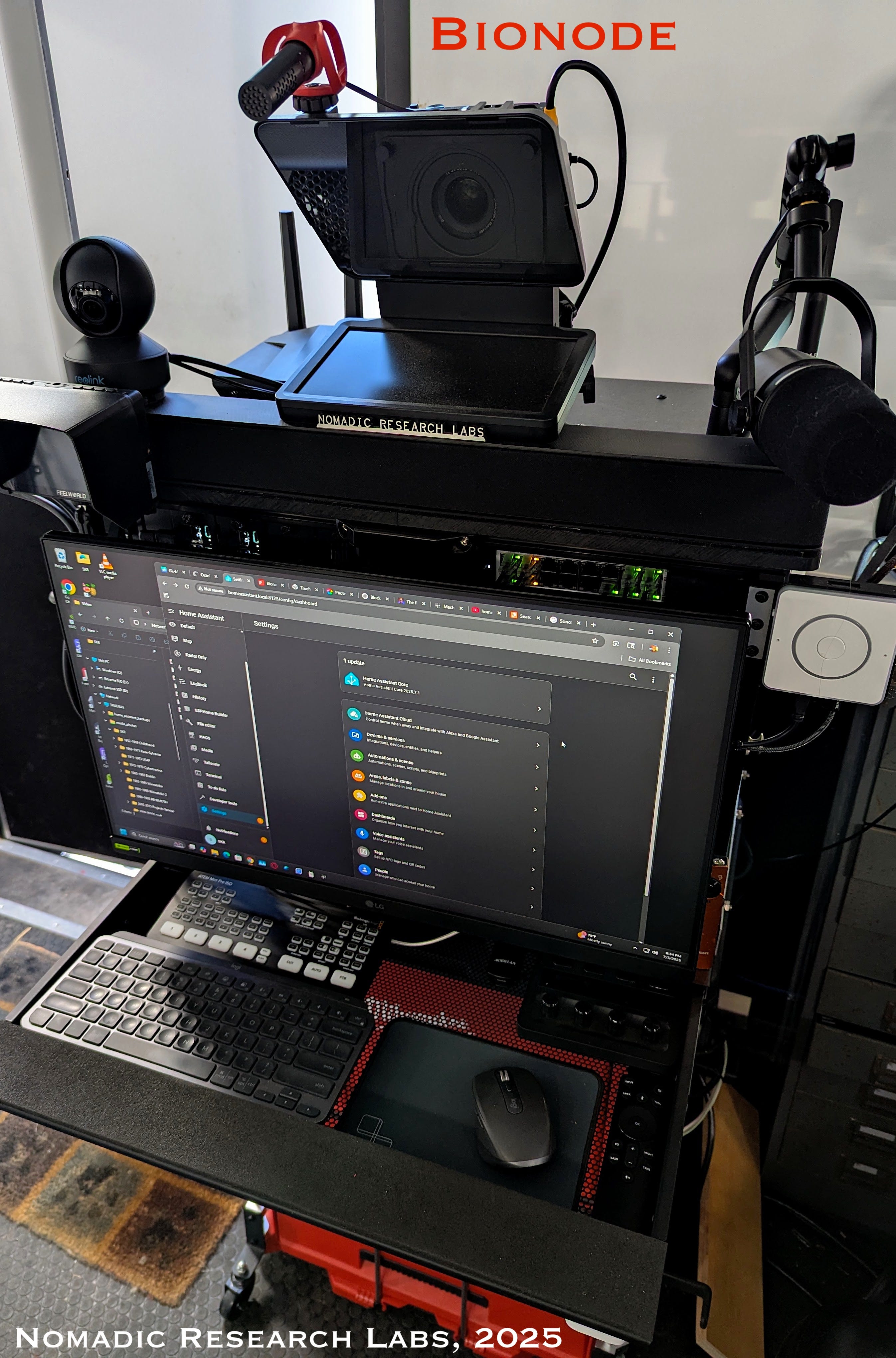
This series began with technical pieces about media digitizing tools. But my project scope has evolved over the past year, and I want to explore the larger meaning of that term. I believe we are seeing a new class of computing machine that plays well with the state of the art in laptops, tablets, and phones.
The contraption in the photos is Bionode, a 230-pound computational hand truck with 14TB of NAS, video and audio production, sensor suite, security, communications, embedded AI, on-board power with solar charging, development systems of many flavors, and archiving facilities with machine learning and a conversational front end.
This began as an integrated geek survival machine that would work within the space constraints of my mobile lab trailers. I wanted a self-contained information system, offering sovereignty from cloud landlords while preserving personal artifacts. But the resulting extravaganza of blinkies on wheels has changed my sense of what it means to have a computer. When I say “this is the one big thing I would grab in a survival situation,” I mean it (setting aside comical images of trundling down a trail in the woods dragging a huge rattling hand truck making snide comments. “Hey, take it easy on the bumps! That was 1.7G.”)
Background
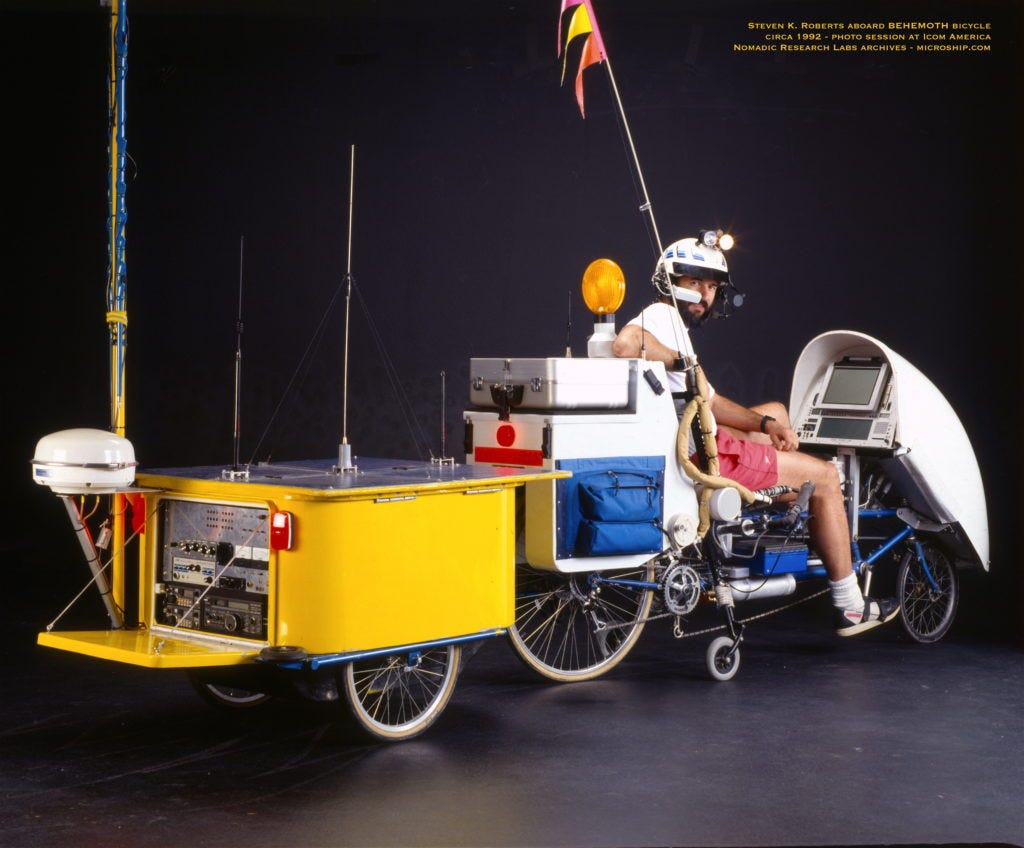
I have made a career of putting computers on wheels, starting with the Winnebiko recumbent in 1983. As the first “digital nomad,” I pedaled three versions of this 17,000 miles around the US, writing a book called Computing Across America that is being serialized here. The bike evolved into BEHEMOTH with binary handlebar keyboard and extensive computing resources — a 105-speed unixcycle that is now in the Computer History Museum.
Through the ’90s, I ported this concept to water, yielding an amphibian pedal/solar/sail micro-trimaran called Microship. In 2006, I moved to a sailboat, spent a few years building nautical geekery for anticipated open-ended global voyaging, then crossed to the Dark Side with a big honkin’ power boat that never gets off the dock but was a comfortable live-aboard. Now, in my seventies, I spend my days digitizing and building a machine that packs life archives and essential tools onto a hand truck.
The new project incorporates a whole lab full of essential tech into a portable package… in the process hinting at a future generation of personal computers. Here is a quick intro, starting with the mechanical structure…
Bionode Packaging
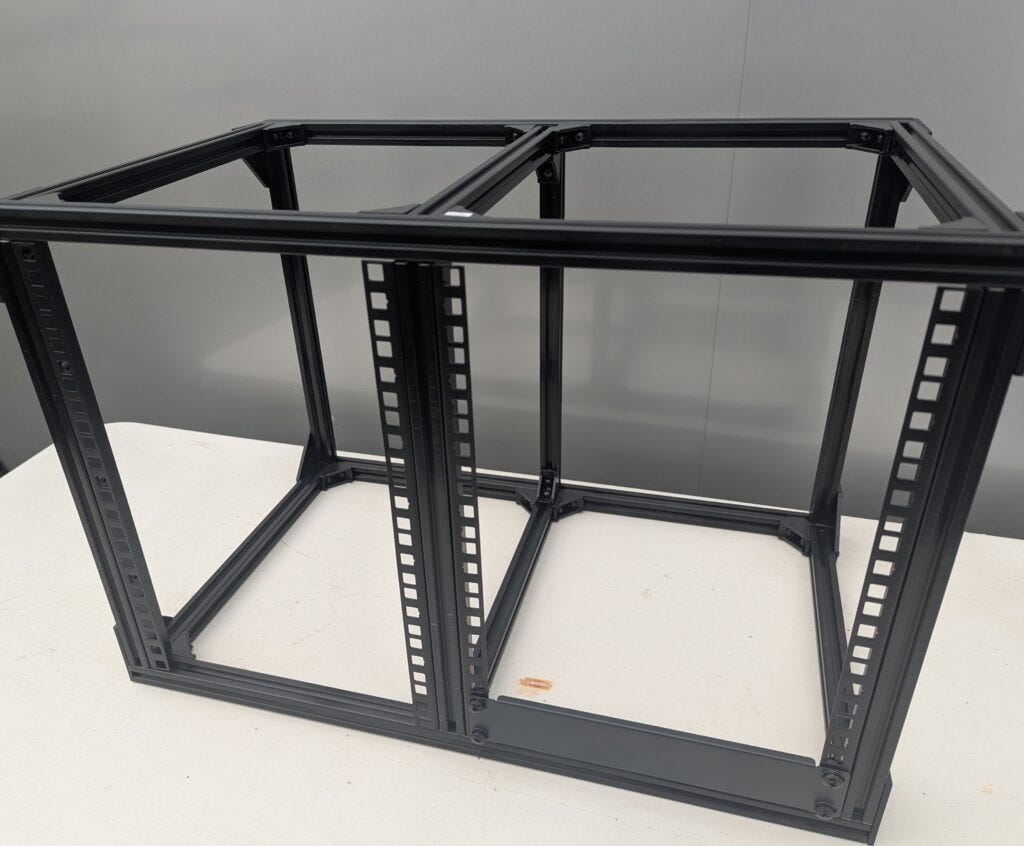
There has been a welcome movement in recent years involving “minilabs” based on an emerging 10-inch rackmount standard instead of the traditional 19-inch units that recall the black-crackle finishes of mid-century radio. I’ve lived with the latter all my life, and the mini-rack form factor is better scaled to newfangled geek goodies.
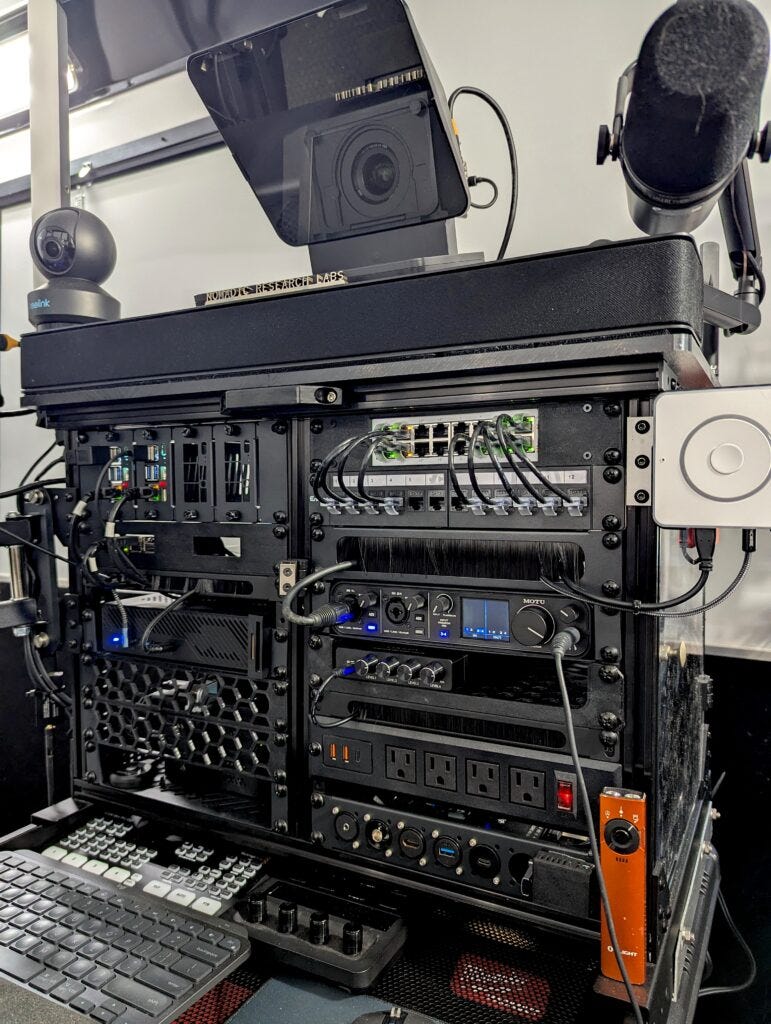
But as this started taking shape in my head, I realized that even a tall off-the-shelf rack was going to be a squeeze with all I wanted to do, so I made it a doublewide. I used standard 2020 extrusion to create this frame, with four 8U bays:
From the start, I wanted an integrated UPS to keep power stable, but incorporating that into the rack would gobble precious real estate. With that, and the need for a few drawers, I decided to integrate this onto a cabinet. That would be unmanageable without wheels… so I chose the Packout line from Milwaukee:
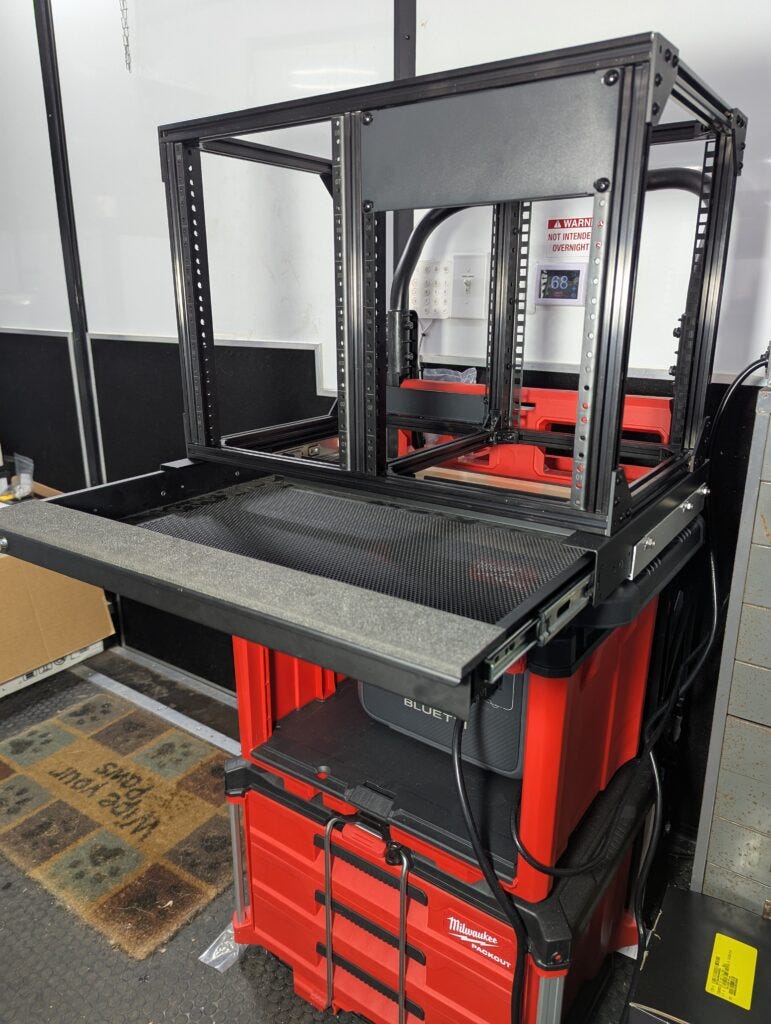
This involved some trickery… it was clear that I was going to need a desktop, so I added framing to add a locking drawer with cable management. If you look just below it, you can see the Bluetti power system in the cabinet… not a true UPS (no NUT or NAS support, and no Home Assistant integration since they added encryption to enforce using their app), but still it’s a sweet 768 watt-hour rig, plus solar charging.
After a bit of modification to handle AC clutter, I was ready to start adding blinkies.
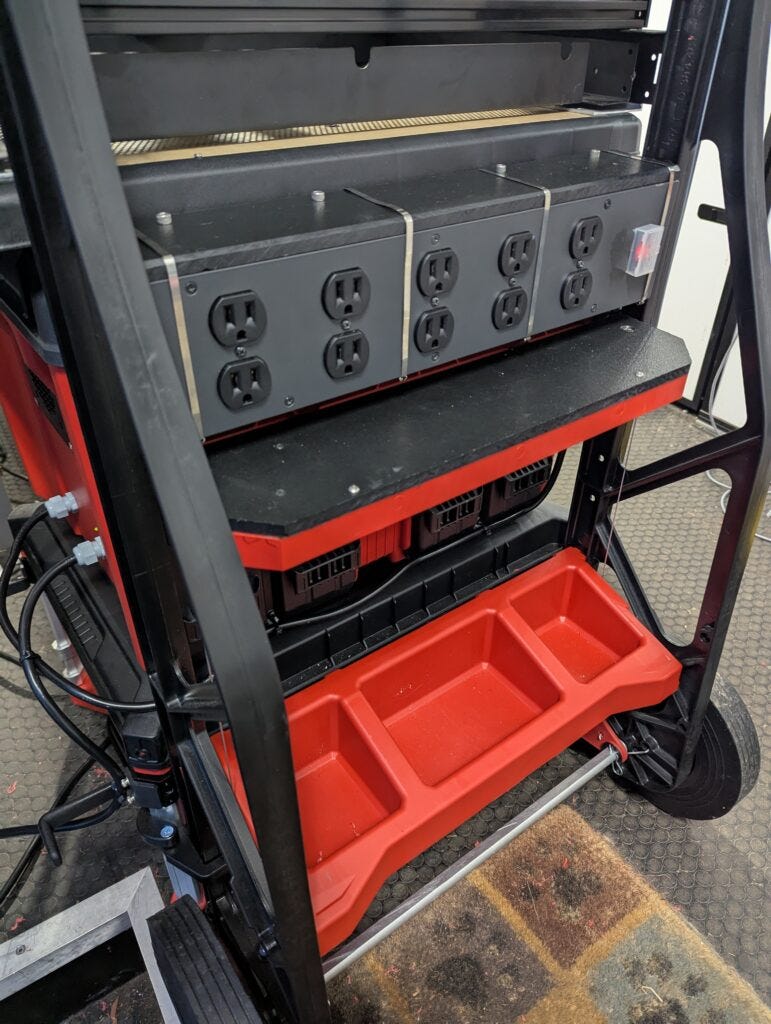
Computers
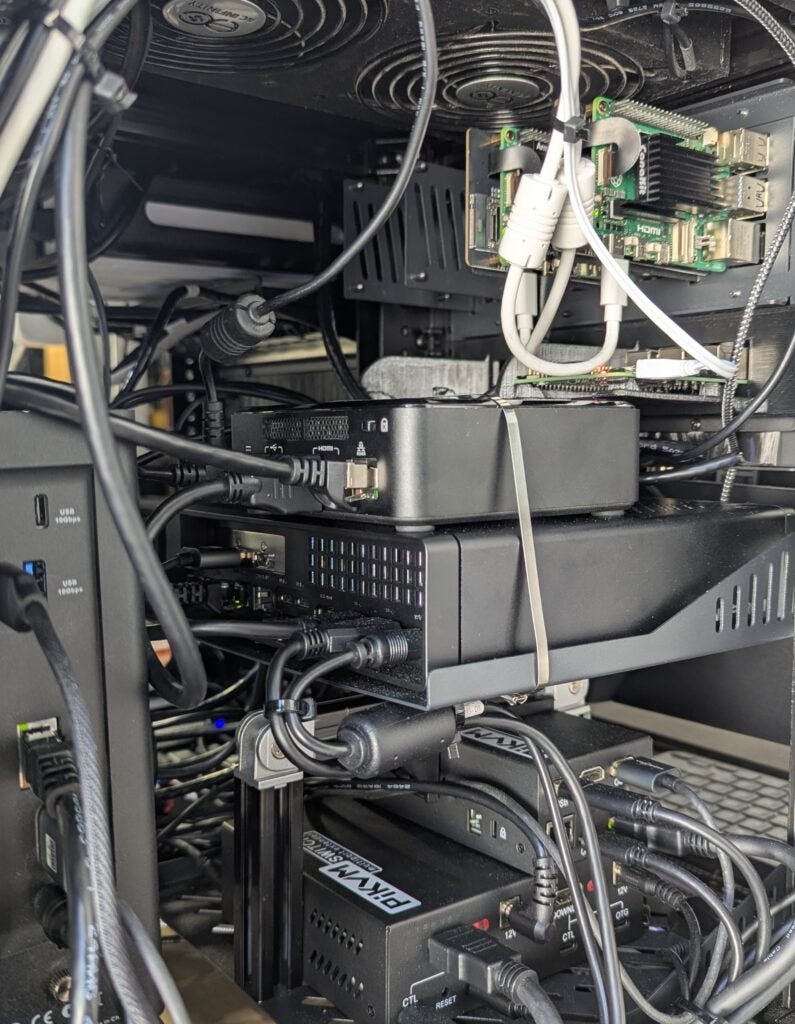
Bionode contains a PC with GPU, TrueNAS in SSD, a Linux box, a pair of Pi5 boards with a terabyte each (insane), an older Pi for the 3D printer, and another for software-defined radio. A few wee nodes are devoted to controls and data collection, and of course it has essential networking goodies. Total on-board memory on this hand truck is about 20 TB, which will seem small by next year.
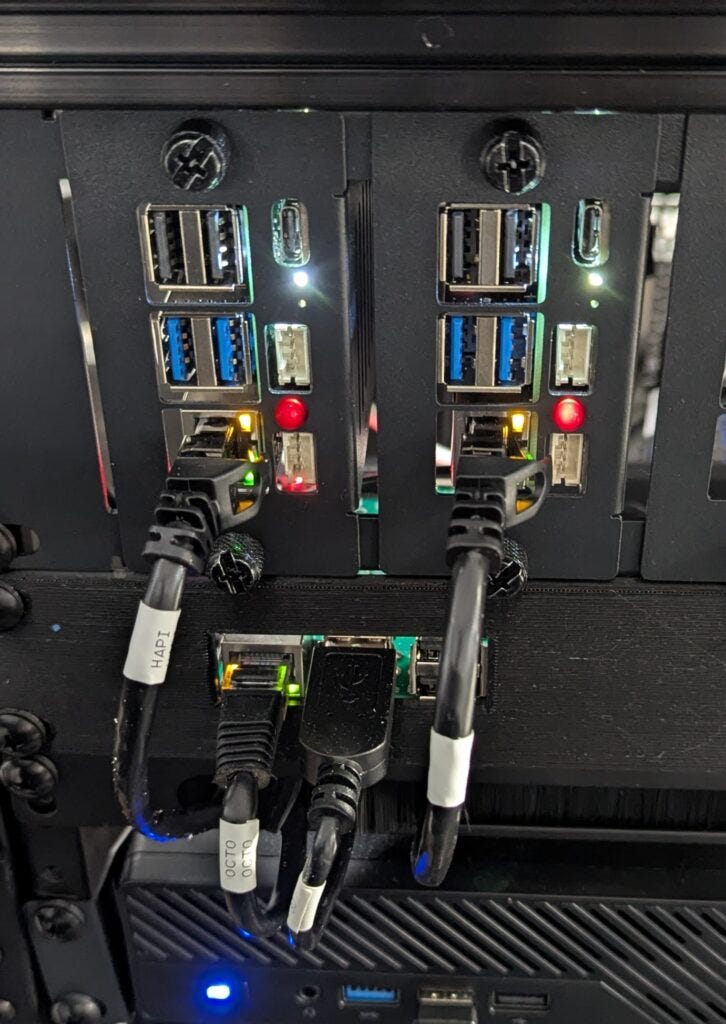
The machines are on the left half of the enclosure, in a configuration designed to optimize airflow. Convection helps elevate exhaust from the MS-01 when its GPU is cranking, and the NAS blows vertically over its heat sinks. The roof has two exit fans, one of which exhausts under the Flint router that can reportedly get hot at times. Spill from this speeds the response of an AIR-1 from Apollo, part of the Home Assistant installation that gives us excellent air quality and other sensor data.
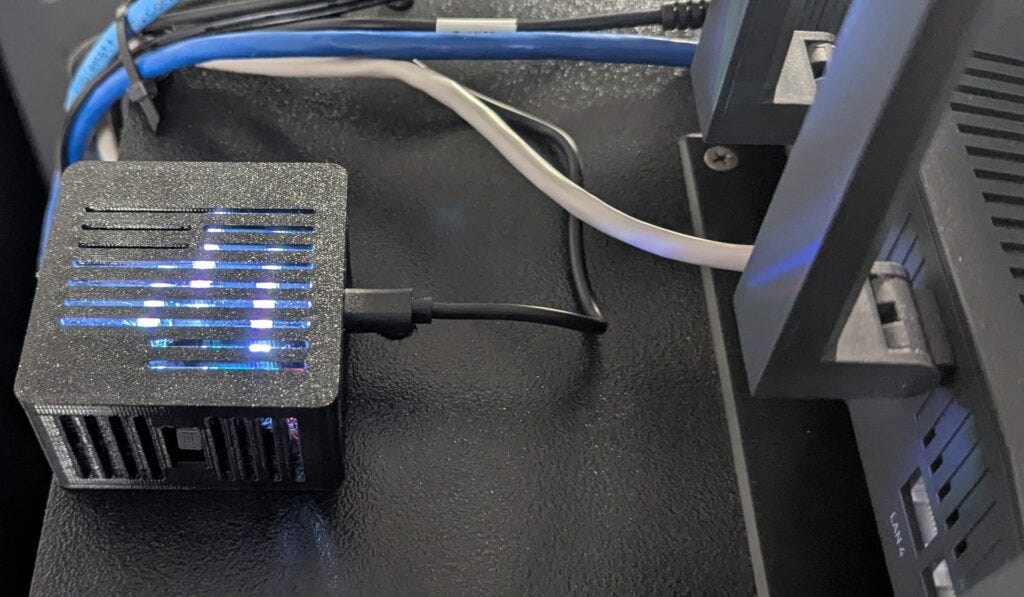
One of the fun things about all this, which probably sounds like a haphazard combination of tools compared to some of the sleek clusters and beautiful cableporn I’ve seen in the homelab community on Reddit, is that we are starting to develop synergy among machines. I confess secret delight when one of my silly test automations pipes up after guests leave and observes “ah, the air is getting much better in here!” (CO2, my proxy for human breath, dropped below 550). It is aware of relevant temperatures including power bay and most CPUs, NAS performance, status of all drawers and access panels, presence detectors including video, biometrics, and so on… HA is the Bionode’s nervous system, not the classic “home control” running lights (although this adopts the mothership when it rolls onto its isolation platform, picking up relevant data from local systems).
Immich manages the photo library under TrueNAS. This was a painful marathon of learning curves, but it works well and we used the GPU to handle face recognition tasks once I got up the nerve to run Google Takeout and dumped over 20,000 Pixel images on top of my curated life archives. This was part of the original plan when Bionode was but a sketch… how can we interact conversationally with my image library without having to touch them all? Turns out there is a way to do that…
Video System
I mentioned the production suite for video projects, though the hinged 24-inch monitor that snaps magnetically in place in front of the rack is not great for DaVinci Resolve compared to the desktop ones I’m used to. Also, I am mostly a Mac user, yet the “big iron” in Bionode is a PC. What to do?
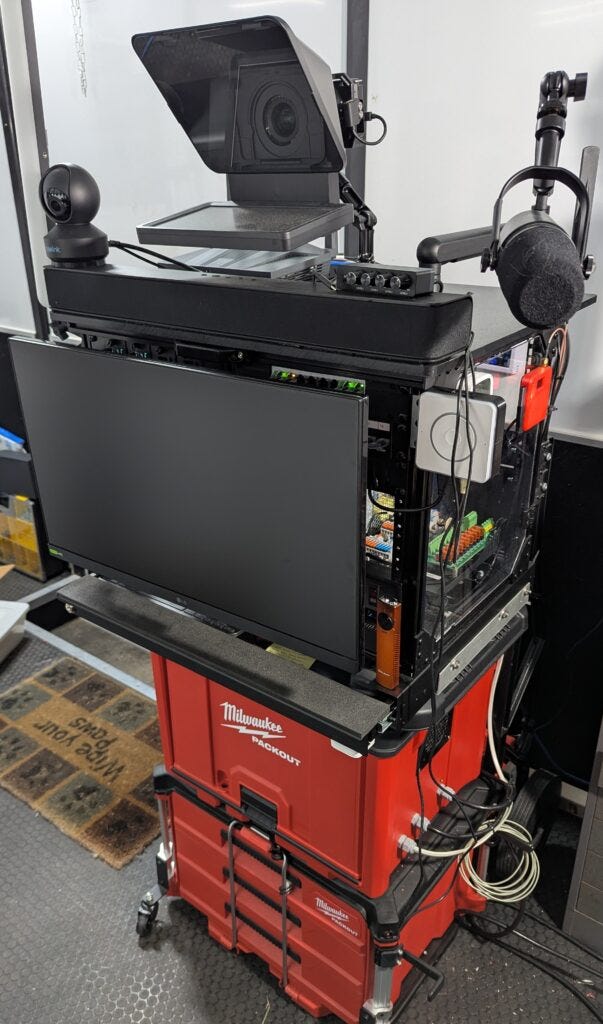
For a while I was sure the solution would be an M4 Mac Mini in 3D-printed rackmount, as I wanted an excuse to buy AI-friendly unified memory. But once I realized how often I need an external laptop to poke at the KVM (and how Macs don’t like to have their consoles switched) the more practical solution was to keep a MacBook Pro around… doubling console space.
But if the point of this thing is to have all my gizmos on one device with wheels… does it need a nearby computer desk? No… there is a swing-out support arm for the laptop, which otherwise parks in one of the drawers. This owns the MOTU audio interface as well as ATEM for video production, and the Prompter does double-duty as a Zoom station with eye contact and local keylight. An HDMI connector is a pipe from external sources, so anything can talk to anything.
Communications
I’ve been a ham for most of my life and have a deep fondness for radio. All network-enabled comms are integrated into Bionode, and I moved my full-size rig and test gear racks into the mothership.
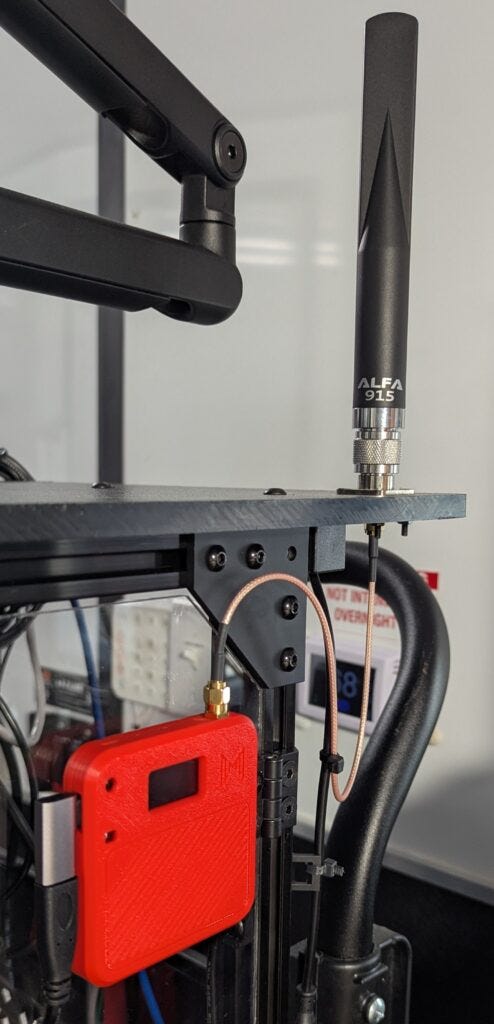
There are some interesting bits of radio geekery in this machine, with M1KE on the way and a basic dual-bander in one of the drawers. Meshtastic is essential these days if you want a secure pipe between people without having to involve the Internet; it self-organizes into a mesh if the density of stations is sufficient, and is also a great way to pass notifications and low-bandwidth sensor data (using MQTT) as long as you be nice and keep it from spilling onto public channels.
I’m a glutton for gizmology, but one good thing about this rolling substrate is that it is intrinsically space-limited (with a hard spec of being able to fit through an interior doorway and not exceed an all-up weight about equal to mine). But we can do so much with tiny things these days that it’s hardly a constraint.
Integration
While the ‘node is pretty much stand-alone in terms of capabilities, there are two ways in which it connects to the rest of the world.
First, there is a row of keystone connectors that take care of its relationship with other systems:
Ethernet to upstream net connection (though it has cellular and WiFi)
Ethernet for any random addition to the LAN
USB to the 3D printer
HDMI from other video sources
Audio in and out to the lab crosspoint, though it has its own for local stuff
That’s it, besides the power cord. I am so used to giant mountains of machines with inscrutable tangles of cable that this feels liberating. I can roll it out the door and down the street without even turning it off.
Second, there is the relationship with the new mobile lab. Bionode has a folding aluminum ramp with a small winch that can guide it onto a shock isolation platform next to the Wall o’ Victron. Once cinched down, wheels captured by edge guides, the workstation is ready to hit the road.
One of my favorite parts is the inertial measurement unit, capturing 6-axis acceleration data several times per second. This was for diagnostics, since I’ve never designed with wire-rope isolators and wasn't confident, but it has other uses (including security, data collection, leveling, and spotting resonant modes). There is an identical IMU about 2 feet away on the trailer’s front wall, letting us observe road shock spikes with (hopefully) lower acceleration spread over a longer period of time as the platform does its job.
So Bionode is becoming my entire operating environment, a local cloud and dev lab that is relocated as needed via a comfortable mobile substrate… and I am planning a speaking tour reminiscent of the bike years with BEHEMOTH.
Where to, and why?
This has impacted my life in ways that might sound familiar. My extensive personal archives live on personal machines that also get used for client jobs. When I shut down the biz, the mess will be daunting. I have friends with the same problem; everything from privacy to backup protocols makes it difficult to effectively archive our lives, community histories, scientific research, and other precious datasets without involving subscription cloud services or racks of complexity. Wills are getting more complicated, and elderly friends worry about how to handle their information, not just assets and stuff. (I have seen the life’s work of friends, still ancient HTML, turn into MFA or worse when someone forgets to renew the Domain of the Departed… leveraging their fame for SEO.) My situation is complex, with an archive server that should outlive me, but with the history so scattered that much will be lost.
I am not unique when it comes to this problem. When I wear my digitizing hat, I see countless versions of the same issue.
We can fix that, and a lot of related problems, with a suitably scaled information toolkit that brings everything into one space while hiding complexity under layers of usability. The result is the thing I would grab first or leave to heirs, with no accessories other than an operation binder and a power cord.
When you start thinking that way, you realize that it really is a huge topic…. community memory to restart after catastrophic loss for any of a number of reasons, family continuity as the kids grow and want to meet their ancestors while becoming part of the developing story, integration of information for work or projects… protecting science… all those things that demand memory tools beyond the usual personal electronics. We all need a dedicated librarian, without opening our lives to uninvited entities.
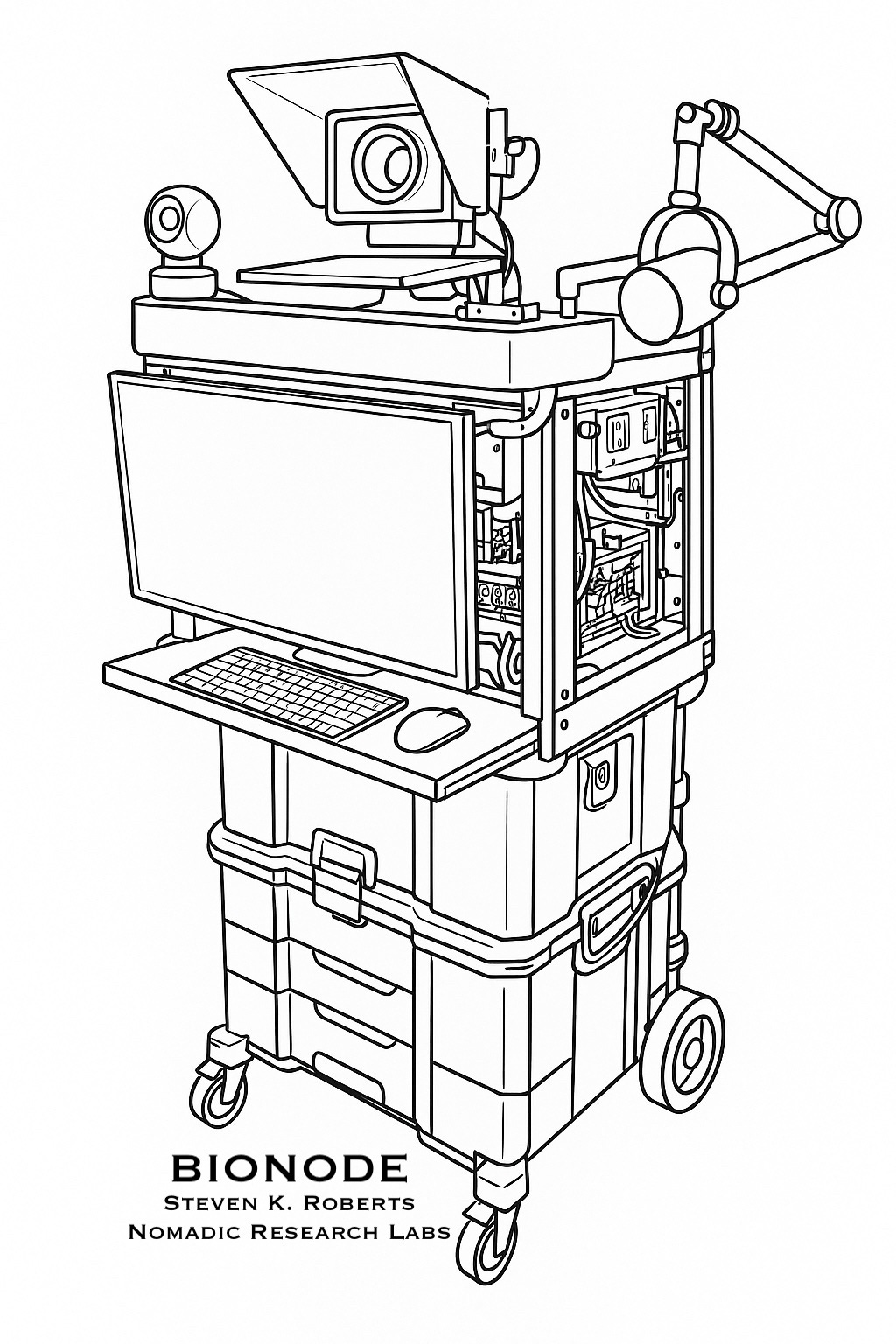
I introduce this to underscore what I believe is an essential new class of tools… self-contained portable personal servers. We’ll be talking in this series about digital survival at multiple levels of magnification… information heirlooms without the drain of annual subscriptions and account management. Among other things, this is a cloud on wheels, not a service that might someday disappear or be sold to someone with Terms of Service that don’t feel good. (“Grant blah-blah in perpetuity? Oh well, it will probably be fine…”)
If I’ve learned anything from a decade of digitizing media, it’s that every family has a precious box of historical treasures, including the last physical traces of people they love. Those need to be selectively shareable, searchable, conversationally queryable, and backed up. Turning them into bits is the first step, but digitizing is really memory… messy, subjective, and intensely personal.
This needs to be local, context-aware, and continuously growing as today becomes history and old-timers fade away. It also needs to be at least somewhat portable, not doomed if there is an urgent move or even just the slow entropic degradation of tech clutterdom and boxes of unlabeled cables.
Coming Soon
Our next issue will introduce the Nomadness mothership, a 24-foot life-support pod that hosts Bionode in a comfortable workspace, cranks out solar power with generator backup, supports meatspace needs, and provides a capable R&D lab for electronic and mechanical projects. This gives it power, maintenance, protection, and mobility… but they are otherwise independent.
Future posts in this series will detail subsystems and applications, explore use cases, take deep dives into how-to territory, and stay connected with our digitizing legacy since memory is an end-to-end process and we don’t want to lose sight of the old films and tapes…
Onward!
— Steve
One of the issues I imagine that could impact you in a few years is that none of the elements of Bionode (that I observed) are “server class” and thus subject to consumer grade lifespans. If you don’t have spares of identical hardware elements, you risk not being able to “plug in replace” and keep going. Or have you virtualized everything (Docker or equivalent) so that the actual hardware is commodity?